This will allow {{name}} to:
{{reference_text}}
{{secured_by_trustedlogin}}
``` #### Screenshots 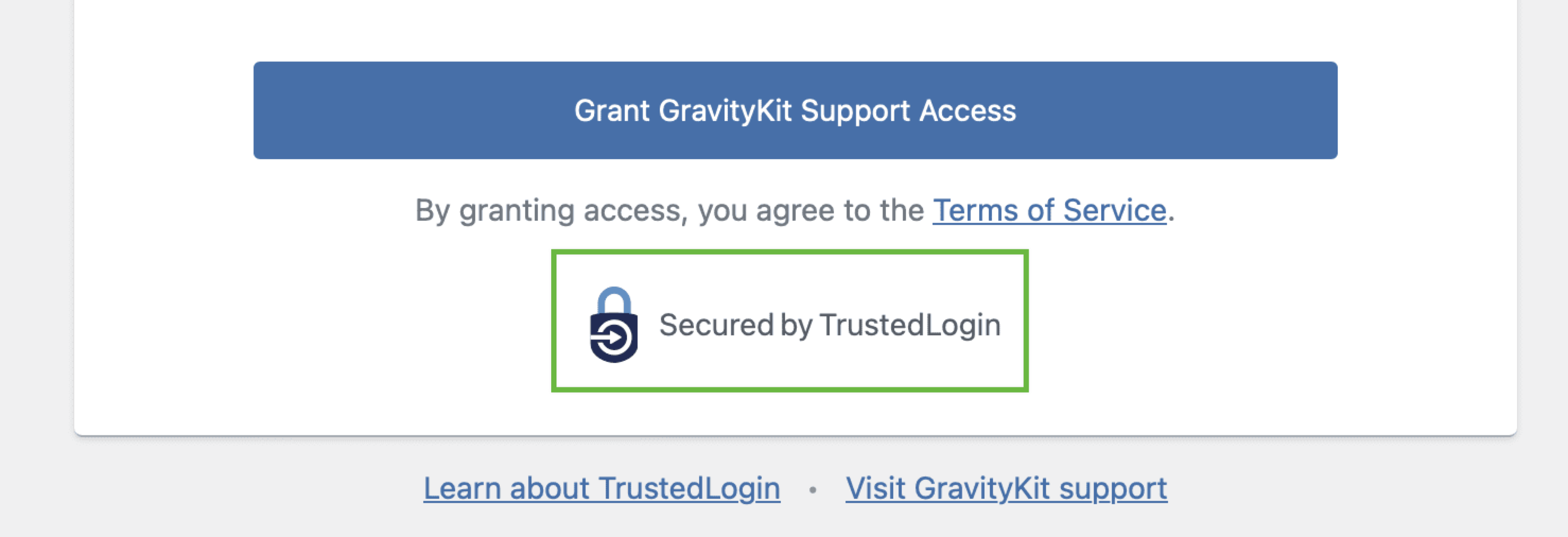 ### `{{admin_debug}}` placeholder The admin debug output. Only displayed if the user has `manage_options` capability and `$_GET['debug']` is set. - TrustedLogin Status: `Online` or `Offline` - API Key: The API key used to authenticate with the TrustedLogin API - License Key: If a license key is set, it will be displayed here - Log URL: A link to download the log file - Log Level: The log level set in the TrustedLogin settings - Webhook URL: The URL to the webhook endpoint, if set. `Empty` if not set. - Vendor Public Key: The public encryption key of the vendor, with a link to verify the key #### Screenshots 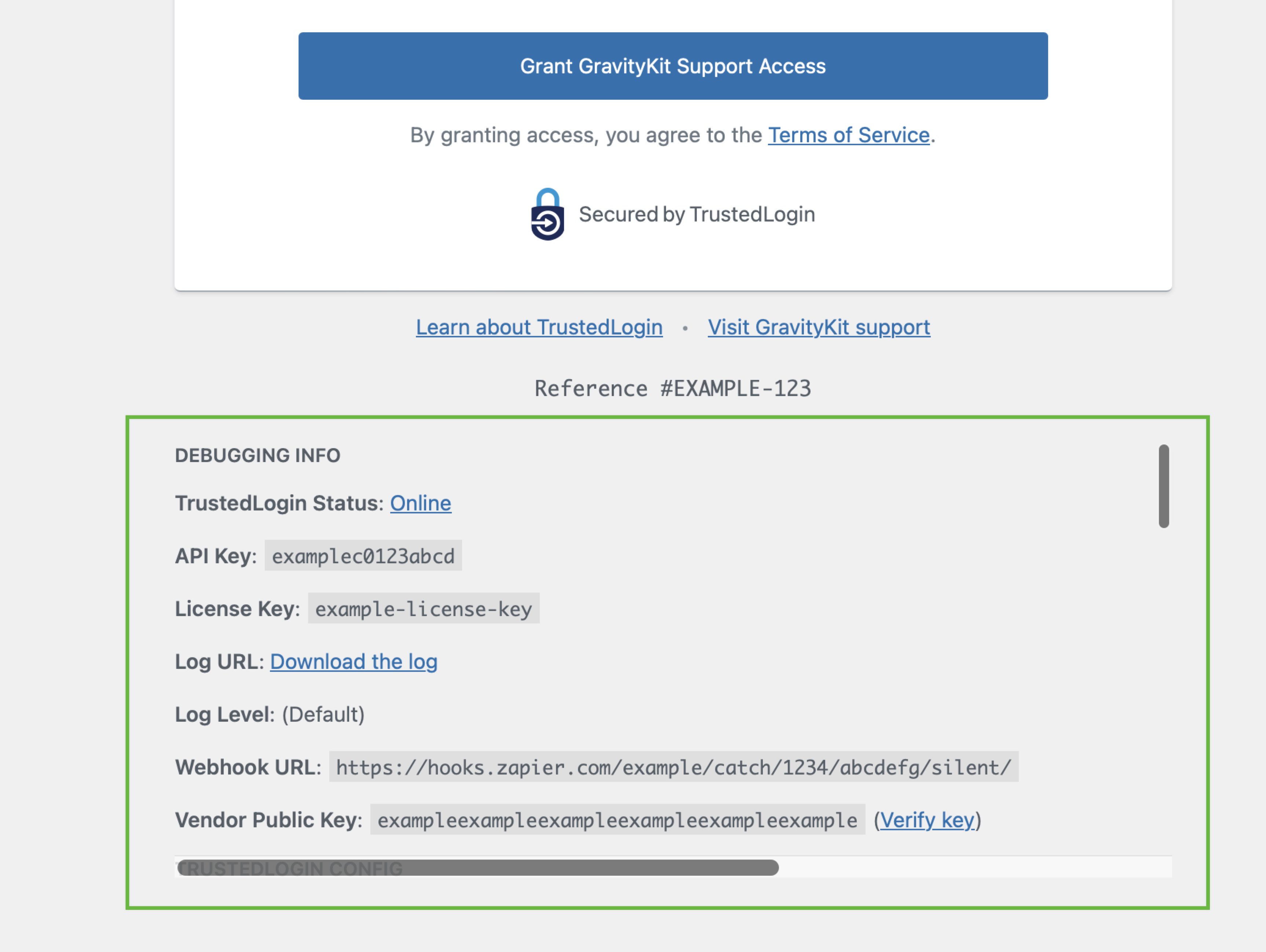 ## Examples of Customization ### Removing the Header To customize the Grant Support Access form, you can use the `trustedlogin/{namespace}/template/auth` filter. Here is an example of how to customize the Grant Support Access form: ```php // Replace `{namespace}` with the namespace of your configuration. add_filter( 'trustedlogin/{namespace}/template/auth', 'RENAME_THIS_FUNCTION_remove_header', 10 ); /** * Remove the header, including the logo, from the Grant Support Access form. * * This is an example function name! Replace `RENAME_THIS_FUNCTION_remove_header` with a unique function name. * * @param string $auth_screen_template The HTML template of the Grant Support Access form. * @return string */ function RENAME_THIS_FUNCTION_remove_header( $auth_screen_template ) { return str_replace( '{{header}}', '', $auth_screen_template ); } ``` --- # Developer FAQ Source: https://docs.trustedlogin.com/Client/dev-faq Markdown: https://docs.trustedlogin.com/Client/dev-faq.md # Developer FAQ ## How do I render the authorization screen? {#how-do-i-render-the-authorization-screen} You can trigger the `trustedlogin/{namespace}/auth_screen` action to render the authorization screen. The proper JS and CSS files will be enqueued automatically: ```phpThis is a page inside my plugin.
More content here.
``` ## What happens if TrustedLogin service is down? {#what-happens-if-trustedlogin-service-is-down} If the TrustedLogin service is down, the user will be presented with a button to contact support. That button points to the the Support URL (`vendor/support_url`) setting passed to the [`Config` object](configuration/). ## If my `vendor/namespace` isn't unique, what happens? {#if-my-vendornamespace-isnt-unique-what-happens} There will be an issue generating the login screen, but it will cause no security problems. The namespace is not used in encryption or when generating the requests to your website. ## WordPress.org compliance {#wordpressorg-compliance} TrustedLogin requires user action to provide logins. This is in compliance with WordPress.org. All files (vendor logo, CSS, and JS files) must be local (using `plugin_dir_url()` or similar) to comply with WordPress.org rules. --- # User FAQ Source: https://docs.trustedlogin.com/Client/faq Markdown: https://docs.trustedlogin.com/Client/faq.md # User FAQ ## What user data does TrustedLogin collect? {#what-user-data-does-trustedlogin-collect} The only user data TrustedLogin stores is the website URL. The website URL is stored unencrypted in our database. Other than that, we do not collect any user data. When a support user logs into the website, we store the user's WordPress ID on the Vendor's website. ## What data is in the troubleshooting report shared with Vendors? {#what-data-is-in-the-troubleshooting-report-shared-with-vendors} If you check the "Include the Site Health information" checkbox, the data generated by the WordPress Site Health tool is shared with the Vendor. [Learn more about the shared information](https://wordpress.org/documentation/article/site-health-screen/#info). By default, Site Health information does not include any personally-identifiable information. However, if you have installed a plugin that adds personally-identifiable information to the Site Health information, that information will be shared with the Vendor. **Some things to note about the troubleshooting report:** - The data is never received by TrustedLogin - The Vendor defines where this information is sent - TrustedLogin does not control the website that receives the debugging data ## What happens if I don't want to use TrustedLogin on my website? {#what-happens-if-i-dont-want-to-use-trustedlogin-on-my-website} To disable TrustedLogin globally, define a `TRUSTEDLOGIN_DISABLE` constant in the site's `wp-config.php` file. That will prevent all code that uses TrustedLogin from loading TrustedLogin. To prevent a single TrustedLogin installation, you will need to know the namespace. Once you have the namespace, define a `TRUSTEDLOGIN_DISABLE_{NAMESPACE}` constant in the site's `wp-config.php` file. The namespace must be in all caps. ## Is TrustedLogin WordPress.org compliant? {#is-trustedlogin-wordpressorg-compliant} Yes. TrustedLogin requires user action to provide logins. This is in compliance with WordPress.org. When distributing TrustedLogin on WordPress.org, all files (logo, CSS, and JS files) must be local (using `plugin_dir_url()` or similar) to comply with WordPress.org rules. --- # Hooks Source: https://docs.trustedlogin.com/Client/hooks Markdown: https://docs.trustedlogin.com/Client/hooks.md # Hooks Below are all hooks available in the TrustedLogin Client. These hooks can be used to customize the behavior of the Client. ## Actions {#actions} ### `trustedlogin/{namespace}/auth_screen` {#trustedloginnamespaceauthscreen} Renders the Grant Access/Revoke Access screen. Note: TrustedLogin uses the `20` priority to print the auth screen. ### `trustedlogin/{namespace}/logging/log` {#trustedloginnamespacelogginglog} | Parameter | Type | Description | |------------|----------|:-----------------------------------------------------------------------------------------------------------------------------------------------------------------------| | `$message` | `string` | Message to log. Pre-processed to convert `WP_Error` and exceptions into strings. | | `$method` | `string` | Method that called the hook. | | `$level` | `string` | A [PSR-3 log level](https://github.com/php-fig/log/blob/master/Psr/Log/LogLevel.php) ('emergency', 'alert', 'critical', 'error', 'warning', 'notice', 'info', 'debug') | | `$data` | `array` | Additional error data. | ### `trustedlogin/{namespace}/login/before` {#trustedloginnamespaceloginbefore} The support user login flow has begun. **This is run before validation.** If you want to a hook that runs only after successful login, use [`trustedlogin/{namespace}/login/after`](#trustedloginnamespaceloginafter) instead. | Key | Type | Description | |--------------------|----------|-------------------------------------| | `$user_identifier` | `string` | Unique identifier for support user. ### `trustedlogin/{namespace}/login/refused` {#trustedloginnamespaceloginrefused} The identifier fails security checks. | Key | Type | Description | |--------------------|------------|------------------------------------------------------| | `$user_identifier` | `string` | Unique identifier for support user. | `$is_verified` | `WP_Error` | The error encountered when verifying the identifier. Can be triggered with the following error codes: - `brute_force_detected`: Due to the current request triggering brute force checks, the site has entered lockdown mode. - `in_lockdown`: The site is currently in lockdown mode for a period of time. ### `trustedlogin/{namespace}/login/error` {#trustedloginnamespaceloginerror} A support user fails to log in. | Key | Type | Description | |--------------------|------------|------------------------------------------------------| | `$user_identifier` | `string` | Unique identifier for support user. | `$is_verified` | `WP_Error` | The error encountered when verifying the identifier. Can be triggered with the following error codes: - `user_not_found`: There is no longer an existing support user (perhaps possibly because access has been revoked) - `access_expired`: Access has expired due to configuration expiration settings ### `trustedlogin/{namespace}/login/after` {#trustedloginnamespaceloginafter} A support user has logged-in. | Key | Type | Description | |--------------------|----------|-------------------------------------| | `$user_identifier` | `string` | Unique identifier for support user. | ### `trustedlogin/{namespace}/access/created` {#trustedloginnamespaceaccesscreated} Access has been granted. | Key | Type | Description | |---------------|-----------------|-------------------------------------------------------------------------------------------------------------------------------------------------------------------------------------------------| | `$url` | `string` | The site URL from where the access was granted, as returned by `get_site_url()` | | `$action` | `string` | The type of trigger: `created`, `extended`, or `revoked` | | `$ref` | `string`,`null` | A sanitized reference ID, if passed. Otherwise, null. | | `$debug_data` | `array` | (Not always set) An array of site data generated by `Client::get_debug_data()`. Similar to `\WP_Debug_Data::debug_data()` output with Markdown formatting improvements applied. Added in 1.4.0. | ### `trustedlogin/{namespace}/access/extended` {#trustedloginnamespaceaccessextended} Existing access has been extended. | Key | Type | Description | |-----------|-----------------|------------------------------------------------------------------------------------| | `$url` | `string` | The site URL from where the webhook was triggered, as returned by `get_site_url()` | | `$action` | `string` | The type of trigger: `created`, `extended`, or `revoked` | | `$ref` | `string`,`null` | A sanitized reference ID, if passed. Otherwise, null. ### `trustedlogin/{namespace}/access/revoked` {#trustedloginnamespaceaccessrevoked} Access has been revoked. | Key | Type | Description | |-----------|----------|------------------------------------------------------------------------------------| | `$url` | `string` | The site URL from where the webhook was triggered, as returned by `get_site_url()` | | `$action` | `string` | The type of trigger: `created`, `extended`, or `revoked` | ### `trustedlogin/{namespace}/logged_in` {#trustedloginnamespacelogged_in} A support user has logged-in to a site. | Key | Type | Description | |-----------|----------|------------------------------------------------------------------------------------| | `$url` | `string` | The site URL from where the webhook was triggered, as returned by `get_site_url()` | | `$action` | `string` | Set to `logged_in` ### `trustedlogin/{namespace}/logging/log_{level}` {#trustedloginnamespaceloggingloglevel} Per-level variant of [`trustedlogin/{namespace}/logging/log`](#trustedloginnamespacelogginglog). Fires after the base `logging/log` action, using the PSR-3 level as a dynamic suffix (e.g. `logging/log_error`, `logging/log_warning`). Useful if you only want to observe a single level without filtering inside a generic handler. | Parameter | Type | Description | |------------|----------|:---------------------------------------------------------------------------------| | `$message` | `string` | Message to log. Pre-processed to convert `WP_Error` and exceptions into strings. | | `$method` | `string` | Method that called the hook. | | `$data` | `array` | Additional error data. | ### `trustedlogin/{namespace}/access/revoke` {#trustedloginnamespaceaccessrevoke} Fires when the revoke endpoint is hit but **before** the support user is actually deleted. Use this to run cleanup that must precede user removal. If revocation fails, the companion [`trustedlogin/{namespace}/admin/access_revoked`](#trustedloginnamespaceadminaccess_revoked) does NOT fire — so a listener on this hook is the last guaranteed signal that revocation was attempted. :::note Distinct from [`trustedlogin/{namespace}/access/revoked`](#trustedloginnamespaceaccessrevoked), which fires once per webhook event after successful revocation. ::: | Key | Type | Description | |--------------------|----------|-------------------------------------------------------------------------| | `$user_identifier` | `string` | Unique ID for the support user, or the literal string `"all"`. | ### `trustedlogin/{namespace}/admin/access_revoked` {#trustedloginnamespaceadminaccess_revoked} Fires **only** when revocation triggered from the admin revoke link has fully succeeded — the support user no longer exists with the given identifier. Does not fire if user deletion failed. | Key | Type | Description | |--------------------|----------|-------------------------------------------------------------------------| | `$user_identifier` | `string` | Unique ID for the support user, or the literal string `"all"`. | ### `trustedlogin/{namespace}/lockdown/after` {#trustedloginnamespacelockdownafter} Fires after the site enters lockdown mode due to repeated failed login attempts. Use this hook to notify administrators, trigger additional security measures, or log security events beyond the built-in TrustedLogin reporting. Lockdown is triggered by the brute-force detection in `SecurityChecks`; this action runs after the lockdown transient has been set and the vendor has been notified (when configured). It passes no arguments — call `SecurityChecks` directly if you need lockdown metadata. ## Filters {#filters} ### `trustedlogin/{namespace}/admin/menu/menu_slug` {#trustedloginnamespaceadminmenuslug} Override the menu slug used for the Grant Support Access screen. | Key | Type | Default | Description | |--------------|----------|------------------------------|----------------------------------------------------------------------------------------------------------------------------------------| | `$menu_slug` | `string` | `'grant-{namespace}-access'` | Value passed to [`add_menu_page()`](https://developer.wordpress.org/reference/functions/add_menu_page/) as the `$menu_slug` parameter. | ### `trustedlogin/{namespace}/template/auth` {#trustedloginnamespacetemplateauth} Override the structure of the auth form HTML. | Key | Type | Default | Description | |-------------------------|----------|------------------------------------|----------------------------------------------------------| | `$auth_screen_template` | `string` | HTML with placeholders (see below) | The structure for the auth form HTML, with placeholders. | ### `trustedlogin/{namespace}/template/auth/display_reference` {#trustedloginnamespacetemplateauthdisplay_reference} Toggles whether the reference ID, if set, is shown in the auth form. Since Version 1.3. | Key | Type | Default | Description | |----------------------|----------|---------|---------------------------------------------------------------------------------------------| | `$display_reference` | `bool` | `true` | Whether to display the reference ID on the auth screen. | | `$is_login_screen` | `bool` | | Whether the auth form is being displayed on the login screen. Set by Admin::login_screen(). | | `$ref` | `string` | | The reference ID. | ### `trustedlogin/{namespace}/template/auth/terms_of_service/anchor` {#trustedloginnamespacetemplateauthterms_of_serviceanchor} | Key | Type | Default | Description | |-----------|----------|--------------------|-----------------------------------------------| | `$anchor` | `string` | `Terms of Service` | The anchor text of the Terms of Service link. | ### `trustedlogin/{namespace}/template/auth/footer_links` {#trustedloginnamespacetemplateauthfooter_links} Override the footer links shown below the auth form. | Key | Type | Default | Description | |-----------------|---------|-------------------------------------------------------------------------------------------------------------------------------------------------|--------------------------------------------------------------------------| | `$footer_links` | `array` | `[ 'Learn About TrustedLogin' => 'https://www.trustedlogin.com/about/easy-and-safe/', 'Visit {vendor/title} support' => {vendor/support_url} ]` | Array of links to show in auth footer (Key is anchor text; Value is URL) | ### `trustedlogin/{namespace}/support_role` {#trustedloginnamespacesupport_role} Change the name (slug) of the role created for the support user. Will be sanitized using `sanitize_title_with_dashes()`. | Key | Type | Default | Description | |--------------|-----------------------|-------------------------------------------|----------------------------------------------------| | `$role_name` | `string` | `'{namespace}-support'` | The name of the role, which is more like the slug. | | `$config` | `TrustedLogin\Config` | Current TrustedLogin configuration object | ### `trustedlogin/{namespace}/support_role/display_name` {#trustedloginnamespacesupport_roledisplay_name} Change the display name of the role created for support users. This will be displayed in the filter menu above the Users table in the Dashboard, as well as in a list of site roles. | Key | Type | Default | Description | |-----------------|-----------------------|-------------------------------------------|--------------------------------------------------------------------------------------------------------------------------------------| | `$display_name` | `string` | `'%s Support'` | A string prepared for localization where `%s` is replaced by the `vendor/title` configuration setting (for example, "Acme Support"). | | `$config` | `TrustedLogin\Config` | Current TrustedLogin configuration object | ### `trustedlogin/{namespace}/license_key` {#trustedloginnamespacelicense_key} Modify the license key assigned to the current user. This should ideally be defined using the `auth/license_key` configuration setting. | Key | Type | Default | Description | |----------------|------------------|---------|-------------------------------------------| | `$license_key` | `string`, `null` | `null` | Get the license key for the current user. | ### `trustedlogin/{namespace}/support_url/query_args` {#trustedloginnamespacesupport_urlquery_args} If TrustedLogin fails to grant access to users, a button appears that will link directly to the `vendor/support_url` configuration setting. This filter exists to modify parameters added to that URL. | Key | Type | Default | Description | |---------------|---------|------------------------------|-------------| | `$query_args` | `array` | See default array keys below | | #### $query_args array value {#query_args-array-value} | Key | Type | Default | Description | |----------------------|------------------|-----------------------------------------|-----------------------------------------------------------| | `query_args/message` | `string` | `Could not create TrustedLogin access.` | What error message should be appended to the support URL. | | `query_args/ref` | `string`, `null` | `null` | A sanitized reference ID, if passed. Otherwise, null. | ### `trustedlogin/{namespace}/login_feedback/allowed_referer_urls` {#trustedloginnamespaceloginfeedbackallowedrefererurls} Trusted URLs whose **hosts** are accepted as the `Referer` of a failed support-login POST. When a match is found, the matched URL — not the raw Referer — is rendered as the "Go back" link on the feedback screen, so an attacker who forges a matching host still can't control the path or query string. Vendors with multiple surfaces (marketing site, support portal, white-label domains, staging) should add their additional URLs here. :::tip Return an empty array to disable the "Go back" link entirely. ::: | Key | Type | Default | Description | |-----------------|-----------------------|--------------------------------------------------------------------------|------------------------------------------------------------------------------------------| | `$default_urls` | `string[]` | `[ 'vendor/website', 'vendor/support_url', home_url() ]` (non-empty values only) | Allowed URLs. Only the host component is compared; full URL is rendered as the link. | | `$config` | `TrustedLogin\Config` | Current TrustedLogin configuration object | Useful for namespace-aware extension. | #### Example: allow a support portal on a different domain ```php add_filter( 'trustedlogin/pro-block-builder/login_feedback/allowed_referer_urls', function( $urls, $config ) { $urls[] = 'https://help.problockbuilder.com'; $urls[] = 'https://status.problockbuilder.com'; return $urls; }, 10, 2 ); ``` ### `trustedlogin/{namespace}/envelope/meta` {#trustedloginnamespaceenvelopemeta} Adds custom metadata to be synced via TrustedLogin and stored in the Envelope. **Limited to 1MB.** :::warning Metadata is transferred and stored in plain text. **Do not add any unencrypted sensitive data or identifiable information**! ::: | Key | Type | Default | |-------------|-----------------------|-------------------------------------------| | `$metadata` | `array` | `[]` (empty array) | | `$config` | `TrustedLogin\Config` | Current TrustedLogin configuration object | ### `trustedlogin/{namespace}/logging/enabled` {#trustedloginnamespaceloggingenabled} Toggles whether logging is enabled. It can be helpful to have a filter to override logging outside the configuration array! | Key | Type | Default | Description | |---------------|--------|---------|---------------------------------------------------------| | `$is_enabled` | `bool` | `false` | Whether debug logging is enabled in TrustedLogin Client | ### `trustedlogin/{namespace}/webhook/request_args` {#trustedloginnamespacewebhookrequest_args} Filter the arguments passed to `wp_remote_post()` when the Client sends a webhook. Added in 1.9.1. Since 1.9.1 the Client JSON-encodes the webhook body and sends `Content-Type: application/json` by default. This avoids false-positive XSS blocks from security plugins (Wordfence, etc.) that flagged the legacy `debug_data=…` form-encoded body. The TrustedLogin Connector's REST endpoint accepts both shapes, so the change is drop-in. Use this filter if your custom webhook receiver requires a different shape or additional headers (e.g. a bearer token). | Key | Type | Default | Description | |----------------|----------|----------------------------------------------------------------------------------------------------------|-------------------------------------------------------------------------------------------------| | `$args` | `array` | `[ 'body' => wp_json_encode($data), 'headers' => [ 'Content-Type' => 'application/json; charset=utf-8' ] ]` | Request arguments passed to `wp_remote_post()`. | | `$webhook_url` | `string` | | The webhook URL being posted to. | | `$data` | `array` | | The original data array being sent to the webhook. | #### Example: revert to legacy form encoding for a custom receiver that reads `$_POST` {#webhook-form-filter-example} ```php add_filter( 'trustedlogin/pro-block-builder/webhook/request_args', function ( $args, $webhook_url, $data ) { // Pre-1.9.1 shape: WP form-encodes the array body automatically. return array( 'body' => $data ); }, 10, 3 ); ``` #### Example: add a bearer token for an authenticated receiver {#webhook-auth-filter-example} ```php add_filter( 'trustedlogin/pro-block-builder/webhook/request_args', function ( $args, $webhook_url, $data ) { $args['headers']['Authorization'] = 'Bearer ' . getenv( 'MY_WEBHOOK_TOKEN' ); return $args; }, 10, 3 ); ``` ### `trustedlogin/{namespace}/vendor/public_key/website` {#trustedloginnamespacevendorpublic_keywebsite} :::warning Only use this filter if the `vendor/website` setting is not the same as the website where the TrustedLogin Connector plugin is running. ::: If the `vendor/website` setting and the website running the TrustedLogin Connector plugin are not the same, use this filter. For example, if the `vendor/website` setting is `https://www.parentcompany.com` but TrustedLogin is running on the `https://child.parentcompany.com`, you would use this filter to point to `https://child.parentcompany.com`. | Key | Type | Default | Description | |-----------------------|----------|--------------------------------------------|-----------------------------------------------------------------| | `$public_key_website` | `string` | The `vendor/website` configuration setting | The root URL of the website where the Connector plugin is running. | ### `trustedlogin/{namespace}/vendor/public_key/endpoint` {#trustedloginnamespacevendorpublic_keyendpoint} :::warning Only use this filter if the REST API endpoint has changed on the Vendor website. ::: Override the path to TrustedLogin's WordPress REST API endpoint. If there have been customizations to the REST API endpoint structure on the Vendor, the path may need to be modified. For example, if the [`rest_url_prefix` filter is used](https://developer.wordpress.org/reference/hooks/rest_url_prefix/) to change the REST API URL from `/wp-json/`, you will need to update the endpoint. | Key | Type | Default | Description | |------------------------|----------|--------------------------------------|----------------------------------------------------------------------------------------------------------------| | `$public_key_endpoint` | `string` | `wp-json/trustedlogin/v1/public_key` | The vendor's signature key REST API endpoint, which will be added to the vendor/website configuration setting. | ## 🛑 Advanced Internal Use Only {#-advanced-internal-use-only} :::warning These filters should not be used in production code. They are included here as helpful developer reference only, and they may change. ::: ### 🚫 You really don't need these filters! 🚫 {#-you-really-dont-need-these-filters-} Using these filters incorrectly may **break everything and make a site insecure**. They are used for advanced use cases like automated end-to-end testing. They're only included here so our documentation is complete. Only use if you know what you're doing! ### `trustedlogin/{namespace}/meets_ssl_requirement` {#trustedloginnamespacemeets_ssl_requirement} Logins will not be synced with TrustedLogin if the site doesn't have proper SSL support. Sometimes, when testing, it's helpful to have a filter to override this behavior. | Key | Type | Default | Description | |-----------|--------|--------------------------------------|------------------------------------------| | `$return` | `bool` | `is_ssl() && $config['require_ssl']` | Does this site meet the SSL requirement? | ### `trustedlogin/{namespace}/api_url` {#trustedloginnamespaceapi_url} Modifies the endpoint URL for the TrustedLogin service. This allows pointing requests to test servers. | Key | Type | Default | Description | |-------------|----------|----------------------------------------|-------------------------| | `$base_url` | `string` | `https://app.trustedlogin.com/api/v1/` | URL of TrustedLogin API | :::warning These filters should not be used in production code. They are included here as helpful developer reference only, and they may change. ::: ### `trustedlogin/{namespace}/vendor_public_key` {#trustedloginnamespacevendor_public_key} Override the public key functions. Encryption will break if this is changed. | Key | Type | Default | |---------------|-----------------------|-------------------------------------------| | `$remote_key` | `string` | Varies | The signature key returned by the Connector plugin's REST API endpoint, acessible at https://www.example.com/wp-json/trustedlogin/v1/signature_key | | `$config` | `TrustedLogin\Config` | Current TrustedLogin configuration object | :::warning These filters should not be used in production code. They are included here as helpful developer reference only, and they may change. ::: ### `trustedlogin/{namespace}/options/endpoint` {#trustedloginnamespaceoptionsendpoint} Modify the namespaced setting name for storing part of the auto-login endpoint. **The endpoint value must be treated carefully.** It is one of the two parts required to log in. | Key | Type | Default | |----------------|-----------------------|-------------------------------------------| | `$option_name` | `string` | `tl_{namespace}_endpoint` | The name for storing the endpoint value in the options table | | `$config` | `TrustedLogin\Config` | Current TrustedLogin configuration object | :::warning These filters should not be used in production code. They are included here as helpful developer reference only, and they may change. ::: ### `trustedlogin/{namespace}/options/vendor_public_key` {#trustedloginnamespaceoptionsvendor_public_key} Modify the site-option name used to cache the vendor's public key. Changing this will cause the cache to miss and the Client to re-fetch the key from the Connector; it will not change the key itself. Provided for disambiguation when a site runs multiple Client instances that must not share the cache. | Key | Type | Default | Description | |-----------------------------|-----------------------|-----------------------------------------|----------------------------------------------------------------------------------------| | `$vendor_public_key_option` | `string` | `tl_{namespace}_vendor_public_key` | The name used to store the cached vendor public key in the options table. | | `$config` | `TrustedLogin\Config` | Current TrustedLogin configuration object | For namespace-aware extension. | --- # AI Integration Prompt Source: https://docs.trustedlogin.com/Client/integration-prompt Markdown: https://docs.trustedlogin.com/Client/integration-prompt.md A self-contained, end-to-end walkthrough for integrating the TrustedLogin Client SDK into a WordPress plugin. Designed for use with AI coding assistants (Claude Code, Cursor, GitHub Copilot Chat, etc.), but readable as a thorough checklist for human integrators too. ## How to use it **With an AI assistant:** Copy everything from "You are a senior WordPress plugin engineer" to the end of this page into a new chat and provide your plugin's repo (or have the assistant clone it). The prompt encodes the full integration workflow — input collection (interactive Q&A or batch YAML), host-side conflict detection, the bootstrap, and a verification checklist. It's self-contained. **Or fetch this page as raw Markdown.** This page is also served at [`/Client/integration-prompt.md`](/Client/integration-prompt.md) — your AI assistant can fetch it directly. See [For AI assistants & tools](/for-ai-tools) for the full set of conventions (per-page Markdown, `` discovery, `/llms.txt`, `/llms-full.txt`). **Or fetch only the prompt itself**, with no preamble or meta sections, at [`/Client/ai-integration-prompt.md`](/Client/ai-integration-prompt.md) — that's the pure body starting with "You are a senior WordPress plugin engineer". Useful for tools that take a prompt URL as input and don't need the human-facing wrapper. **Without an AI assistant:** Read it top-to-bottom as a more thorough version of [Installation](./02-installation) + [Namespacing with Strauss](./namespacing/strauss) + [Configuration](./configuration) + [Merging into an existing composer.json](./namespacing/merging-into-existing-composer). The prompt was distilled from end-to-end testing across real plugins and captures gotchas the per-step docs don't dwell on. The recipe is verified end-to-end by the [integration tests](https://github.com/trustedlogin/docs/tree/main/tests) in this docs repo — if you follow this prompt and the result differs from what the tests assert, the tests are ground truth. ## The prompt > Everything below this line is the prompt to paste into your AI assistant. --- You are a senior WordPress plugin engineer. You will integrate the **TrustedLogin Client SDK** (https://github.com/trustedlogin/client) into the plugin in this repo so that support staff can be granted secure, time-limited, revocable access to customer sites. Treat the SDK's own priority as your priority: **never crash the host site, always be secure, always fail closed on the customer's behalf.** The single rule that everything else flows from: **the SDK must be Strauss-namespaced, the original `vendor/trustedlogin/` must be deleted, and the only autoloader the plugin loads is `vendor-namespaced/autoload.php`.** If any of those three is wrong, two plugins shipping TrustedLogin will silently collide and one will break. Don't ship that. ## How to provide me inputs Two modes: **Interactive:** Ask me one question at a time for each input below. Use this when the integrator wants to think out loud. **Batch:** Paste a YAML block matching the schema below as your first message and I'll skip Q&A. Use this when you already know the answers. ```yaml # All required unless marked omittable prefix: # PascalCase, e.g. ProBlockBuilder (see derivation rule under Inputs #0) namespace: # slug, e.g. pro_block_builder title: # human name, e.g. "Pro Block Builder" display_name: # optional, e.g. "Widgets, Co. Support" email: # e.g. support+{hash}@example.com ({hash} is substituted per-grant) website: # https://example.com support_url: # https://example.com/support/ logo_url: # optional; must be a local plugins_url() asset api_key: value: # required — the literal vendor key, lives in source constant_name: # optional — wp-config.php constant that overrides "value" when defined (for staging) role: editor # WP role to clone clone_role: true # true creates {namespace}-support, false uses role as-is caps_add: {} # { capability: "human reason shown to customer" } caps_remove: {} # { capability: "human reason shown to customer" } decay: default # default | seconds | null (null = never expire — confirm with me first) menu: parent: # admin slug, "null" for top-level, "false" for no menu, or "edit.php?post_type=foo" for CPT submenu title: Grant Support Access icon_url: # optional priority: # optional, default 100 position: # optional webhook: # set to "omit" or fill out the block below url: format: form # form (SDK default) or json (recommended for sites behind WAFs) debug_data: false create_ticket: false terms_of_service_url: # optional; adds the ToS line under the button license_key: # optional; maps to auth/license_key — only set if you want help-desk widgets to look the user up by license rather than by an opaque hash sodium_polyfill: false # true ONLY if your plugin supports WP 4.1–5.1; see "WordPress 4.1+ support" below ``` ## Inputs (with rules and gotchas) 0. **`prefix` — PascalCase namespacing prefix.** Required. Must be unique to your business or plugin. Derivation: take your slug, drop punctuation, capitalize the first letter of each word. `pro-block-builder` → `ProBlockBuilder`. `widgets_co` → `WidgetsCo`. `acme` → `Acme`. This is what Strauss uses to prefix every namespaced class — do not collide with another Composer dependency you ship. 1. **`namespace`** — slug, 5–96 chars, unique. NOT one of: `trustedlogin`, `trusted-login`, `client`, `vendor`, `admin`, `administrator`, `wordpress`, `support`. Used in URLs, role names, hook names, and the disable constant. **Prefer underscores over hyphens.** The SDK uppercases the namespace verbatim to build constants like `TRUSTEDLOGIN_DISABLE_{NS}`, so a hyphenated slug yields a constant with a hyphen — legal in PHP via `define()` but awkward to document and impossible to reference with bare `CONST_NAME` syntax. An underscored slug yields a clean, conventional constant name. 2. **`title`** — human name shown to customers (e.g. "Pro Block Builder"). Required. 3. **`display_name`** — optional. If set, the UI says `"{title} {display_name}"` (e.g. "Pro Block Builder Support"). 4. **`email`** — support inbox. **Use plus-addressing with the literal `{hash}` token** (e.g. `support+{hash}@example.com`). The SDK substitutes `{hash}` with each grant's site-identifier hash so each grant arrives from a distinct sender — your help desk can match grants to tickets. Don't escape the braces. 5. **`website`, `support_url`** — both must be valid http(s) URLs. `support_url` is also the fallback link shown when the SaaS is unreachable. 6. **`logo_url`** — optional. **Must be a local asset** (use `plugins_url(...)` against the plugin's main file constant). External URLs fail WordPress.org review. 7. **`api_key`** — from https://app.trustedlogin.com → API Keys. **This is the vendor's key, identical on every customer's site, and it lives in version-controlled PHP source — never in the database, never in a settings UI.** The customer never sees it, never enters it, never has a reason to know it exists. Rotate via the TrustedLogin dashboard if leaked. Two valid forms: - **Inline literal** — `'api_key' => '12345678'` directly in the bootstrap or in a `$config` array you pass to `Config`. Simplest; default. - **Constant override with hardcoded fallback** — `defined('MY_PLUGIN_TL_API_KEY') ? MY_PLUGIN_TL_API_KEY : '12345678'`. Lets staging point at a separate TrustedLogin account via `wp-config.php` without forking the source. Putting a config array in a separate file (e.g. `includes/trustedlogin-config.php`) and `require`ing it is fine — that's still source code, not the database. What's NOT fine: `get_option()`, transients, env files read at runtime, anything customer-editable. If you reach for `wp_options`, you've made a category error — that's the Connector's job, not the Client's. 8. **Role policy** — which WP role to clone (`role`, default `editor`). `clone_role: true` (recommended) creates `{namespace}-support` with that role's caps and *automatically strips* `create_users`, `delete_users`, `edit_users`, `promote_users`, `delete_site`, `remove_users` — even if you list them in `caps_add`. `clone_role: false` uses the role as-is, with no stripping. 9. **`caps_add` / `caps_remove`** — capability => human reason. **The reasons are shown verbatim to the customer in the Grant Access UI**, so write them in plain English. Bad: `"need this"`. Good: `"Support needs to view your forms and entries to diagnose the issue."`. 10. **`decay`** — seconds support access lives. Default 604800 (1 week). Min 86400 (1 day), max 2592000 (30 days). `null` disables expiry — only use if I explicitly confirm. 11. **Menu placement.** See the "Admin menu integration" architecture section below for the decision tree. `menu.parent` is what gets passed to `add_submenu_page`: - String slug (e.g. `"options-general.php"`) — submenu of an existing admin page. - String CPT path (e.g. `"edit.php?post_type=foo"`) — submenu of a CPT, alongside its other entries. Often the right answer for plugins built around a CPT. - `null` — adds a new top-level menu (only correct if your plugin has no admin presence of its own). - `false` — registers no menu. **Use this when you embed the form inline in your own settings page**, otherwise you'll have two entry points for the same UI. 12. **Webhook (optional).** `webhook.format`: `'form'` is the SDK default (URL-encoded body). `'json'` was added in 1.9.1 and is preferred — JSON request bodies don't trip WAF XSS heuristics on form-encoded payloads. Use `json` unless your endpoint can only parse `application/x-www-form-urlencoded`. 13. **`terms_of_service_url`** — optional. Adds the line "By granting access, you agree to the Terms of Service" under the button. 14. **`license_key`** — optional. Maps to the SDK's `auth/license_key` config. The SaaS uses this as the lookup key when a help-desk widget asks "does this customer have an active grant?". If unset, the SDK generates an opaque hash and uses that instead — which is fine for most integrations. Only set this if your support stack already keys off license keys. If the integrator hasn't decided on something optional, omit it entirely — do not pass empty strings. ## Required architecture ### 1. Composer + Strauss namespacing The SDK uses the global `TrustedLogin\` namespace. Two un-namespaced copies in the same WordPress install means whichever loads first wins and the other silently breaks. Strauss is mandatory; PHP-Scoper is the alternative. Update (or create) `composer.json`: ```json { "require": { "trustedlogin/client": "dev-main" }, "require-dev": { "brianhenryie/strauss": "dev-master", "scssphp/scssphp": "^1.11.0" }, "config": { "allow-plugins": { "composer/installers": true } }, "extra": { "strauss": { "target_directory": "vendor-namespaced", "namespace_prefix": "{{prefix}}\\", "classmap_prefix": "{{prefix}}_", "classmap_output": true, "delete_vendor_packages": true, "packages": ["trustedlogin/client"] } }, "scripts": { "strauss": ["@php vendor/bin/strauss"], "trustedlogin": [ "@php vendor-namespaced/trustedlogin/client/bin/build-sass --namespace={{prefix}}" ], "post-install-cmd": ["@strauss", "@trustedlogin"], "post-update-cmd": ["@strauss", "@trustedlogin"] } } ``` **Why each line matters:** - `"strauss": ["@php vendor/bin/strauss"]` — Strauss is a `require-dev` package, so Composer installs `vendor/bin/strauss` for you. Do NOT use `@php strauss.phar` — that will fatal `Could not open input file: strauss.phar` on every install unless you also `curl` the phar first, and the two paths conflict. - `"delete_vendor_packages": true` — after Strauss copies the SDK to `vendor-namespaced/`, it deletes the original `vendor/trustedlogin/` so the un-namespaced source isn't sitting on your dev disk. **Side effect to know about:** Strauss also generates `vendor/composer/autoload_aliases.php`, a dev-time back-compat shim that registers an SPL autoloader for the bare `\TrustedLogin\*` namespace. Per Strauss's own README this file "should not be included in your production code" — and it isn't, because `/vendor` is `export-ignore`d / `.distignore`d below. The shim is dev-only convenience; in dev environments where a *second* plugin ships un-namespaced TrustedLogin, the alias autoloader can theoretically cause a class-redeclaration fatal depending on load order, but production is unaffected because no plugin ships `/vendor`. Strauss currently has no flag to disable the aliasing alone (TODO in source); accept the trade-off and move on. - `classmap_output: true` — Strauss writes a self-contained autoloader at `vendor-namespaced/composer/autoload_static.php`. Loading `vendor-namespaced/autoload.php` is sufficient and self-contained. - **No `"autoload": { "classmap": ["vendor"] }` block.** That re-introduces the bare classes if anyone ever scans `vendor/` (which Composer does by default if the block is present). Leave Composer's autoload section minimal — Strauss owns this. - `build-sass` runs from `vendor-namespaced/trustedlogin/client/bin/build-sass` — Strauss copies the SDK's full package tree (including `bin/`), so the namespaced binary exists post-install. `vendor/bin/build-sass` also survives Strauss's deletion as a Composer-installed proxy file, but the explicit path is more honest about where the script actually lives. - `config.allow-plugins.composer/installers: true` prevents Composer 2.9+ from blocking `install` on an interactive trust prompt for `composer/installers`. Without it, CI / non-interactive runs hang. **You may see "Ambiguous class resolution" warnings** about `Composer\InstalledVersions`, `RoundingMode`, or `Deprecated` on some Strauss/Composer combinations — they're harmless transitive-dep collisions inside Strauss's own tree, unrelated to your integration. Recent versions don't emit them. **`vendor/` will be ~17 MB.** Strauss + scssphp pull in ~56 dev packages. Your production zip should ship **only** `vendor-namespaced/` (and your own code), never `vendor/`. **How** you exclude vendor depends on the host's existing build mechanism — see Deliverable #2 for detection logic. If the host has no production-zip mechanism at all, the canonical fallback is `.gitattributes export-ignore` for `/vendor`, `/composer.json`, `/composer.lock`, and `/strauss.phar`. But check first: most plugins that already ship to customers already have a build pipeline. ### 1a. Merging into an existing `composer.json` If the plugin already ships a `composer.json`, you'll merge into the host's setup rather than create one. Several host-side configurations can conflict with Strauss; here's what to look for. Skip this section entirely if the plugin has no prior Composer setup — the canonical template above just works. **Platform PHP version.** This is a **build-time** concern only — the shipped, namespaced SDK supports PHP 5.3+ at runtime regardless of what version Strauss ran on. But if the host pins `config.platform.php` below `7.4`, Composer will refuse to install Strauss `dev-master` (it requires `nikic/php-parser ^5`, which needs PHP ≥ 7.4). Two options: - Bump `config.platform.php` to `7.4` (doesn't change customer-site runtime requirements — that's set by the plugin's `Requires PHP` header, not by Composer's platform setting). - Or pin `"brianhenryie/strauss": "^0.21"` for the legacy `nikic/php-parser ^4` line. You'll lose newer Strauss features but install works on lower platform versions. Either way, your customers can still run PHP 5.3+ — Strauss only runs on the *building* machine. **Dependency conflicts.** Old static-analysis dev deps sometimes cap `nikic/php-parser` at `^4` (e.g. `exussum12/coverage-checker`, older `phpstan/phpstan-wordpress`), which conflicts with Strauss `dev-master`. Either remove/upgrade the conflicting dep, or pin Strauss to `^0.21` per above. **`config.classmap-authoritative: true`** is incompatible with Strauss-via-composer-bin. Under classmap-authoritative, Composer ignores PSR-4 lookups, so `vendor/bin/strauss` can't resolve `Composer\Factory` — it exits 0 silently with no output, and you'll wonder why nothing happened. Set `config.classmap-authoritative: false` for the build, or restore it post-install. **Strict `Composer\` autoload.** Some hosts' autoload setups don't expose `Composer\Factory` to consumed scripts even with classmap-authoritative off. Symptom: same as above — `vendor/bin/strauss` runs to exit 0 with no output. Add to the host `composer.json`: ```json "autoload-dev": { "psr-4": { "Composer\\": "vendor/composer/composer/src/Composer/" } } ``` Only add this if you see Strauss exit silently — for most hosts it's unnecessary. **`autoload.files` entries that reference WordPress classes.** This is the most common host-side trap. **Don't add the bootstrap to `autoload.files`** — `require_once` it from the main plugin file instead (which already has an ABSPATH check). Composer eagerly loads everything in `autoload.files` during `composer install`, *before* WordPress is loaded; any file there that references WP-only classes (e.g. `class Foo extends WP_Widget`) or short-circuits with `if ( ! defined( 'ABSPATH' ) ) { exit; }` will silently abort Strauss mid-run. If the host plugin already has files in `autoload.files` that reference WP classes, guard them: ```php -*` class names (e.g. `--namespace=ProBlockBuilder` → `tl-problockbuilder-*`) so two TrustedLogin installs don't fight over the same selectors. `build-sass` lowercases the prefix; CSS class names are case-insensitive in HTML but lowercase is the convention. If `scssphp/scssphp` can't be a dev dep in your release flow: ship a CI step that runs `composer install` (with dev deps), then `php vendor-namespaced/trustedlogin/client/bin/build-sass --namespace={{prefix}}`, then `composer install --no-dev` for the final zip. **`composer install --no-dev` will not regenerate the CSS** — scssphp won't be available — so the build must run while dev deps are installed. ### 4. Bootstrap (the only place that touches TrustedLogin) Create one file (e.g. `includes/class-trustedlogin-bootstrap.php`) that: - **Loads `vendor-namespaced/autoload.php` and only that.** Do NOT `require_once vendor/autoload.php` for the SDK — that autoloader points at `vendor/trustedlogin/` (deleted by Strauss) and serves no purpose for the integration. If your plugin uses Composer for other things, that's fine — host code can still include `vendor/autoload.php` separately, but the TrustedLogin glue must use the namespaced one. - Loads on **every** page load — admin and front-end. The SDK self-registers on `init:100`, `admin_init:100`, and `template_redirect:99`; if your bootstrap doesn't fire by then, lockdown checks and the login endpoint silently break. - Hooks instantiation on `plugins_loaded`. - **Wraps `new Client( new Config( $config ) )` in `try { } catch ( \Exception $e ) { }`.** The SDK throws on invalid config, global disable, namespace disable, or missing sodium. An uncaught exception white-screens the host. Log via `error_log()` (or your logger) and return — never re-throw. - Short-circuits on `TRUSTEDLOGIN_DISABLE` and `TRUSTEDLOGIN_DISABLE_{NAMESPACE_UPPER}` — but the SDK already does this, so prefer just letting Config throw and the catch swallow it. - Uses the **namespaced** class names: `\{{prefix}}\TrustedLogin\Client` and `\{{prefix}}\TrustedLogin\Config`. Never reference `\TrustedLogin\Client`. **Heads up:** `Config::__construct` reaches into WordPress globals (`WEEK_IN_SECONDS`, `wp_kses_bad_protocol`, `is_ssl`, `current_time`, `is_wp_error`, `WP_Error`, `shortcode_atts`, `sanitize_title_with_dashes`, `plugin_dir_url`). It is not safe to construct outside a WordPress request. Anyone trying to unit-test the bootstrap from a non-WP CLI script needs a substantial WP shim. ### 5. Configuration object The YAML batch schema is for human input; `$config` is the nested PHP array the SDK actually consumes. The shapes don't match — translate per this worked example, then drop into the bootstrap: ```php $config = [ 'auth' => [ 'api_key' => defined( 'PRO_BLOCK_BUILDER_TL_API_KEY' ) ? PRO_BLOCK_BUILDER_TL_API_KEY : '12345678', ], 'vendor' => [ 'namespace' => 'pro_block_builder', 'title' => 'Pro Block Builder', 'display_name' => 'Widgets, Co. Support', 'email' => 'support+{hash}@example.com', 'website' => 'https://example.com', 'support_url' => 'https://example.com/support/', ], 'role' => 'editor', 'clone_role' => true, 'caps' => [ 'add' => [ 'manage_options' => 'Support needs this to view and adjust your settings while diagnosing the issue.', ], ], 'menu' => [ 'slug' => 'edit.php?post_type=my_cpt', // YAML "menu.parent" → PHP "menu.slug" 'title' => 'Grant Support Access', 'position' => 100, ], ]; ``` YAML → PHP mappings worth flagging: - YAML `caps_add` / `caps_remove` (flat) → PHP `caps.add` / `caps.remove` (nested under `caps`). - YAML `menu.parent` → PHP `menu.slug`. The SDK uses "slug" but it really means "parent admin page slug" — renamed in YAML for clarity. - YAML `terms_of_service_url` → PHP `terms_of_service.url`. - YAML `license_key` → PHP `auth.license_key` (sibling of `auth.api_key`). - YAML `webhook.format` → PHP `webhook.format` (no rename, just nested). - Omit any optional block entirely — don't pass empty arrays or empty strings. Validation rules to know: - URLs (`vendor.website`, `vendor.support_url`, `vendor.logo_url`, `webhook.url`) must be valid http(s) or `Config` throws. - `decay` outside [86400, 2592000] is rejected (omit to use the 604800 default). - `vendor.namespace` collisions don't break security but produce broken UI; pick something unique to the vendor company, not the plugin (multiple plugins from one vendor can share a namespace). - Never log `auth.api_key` or any secret — SDK exception messages don't include it, so logging `$e->getMessage()` is safe. ### 6. Admin menu integration Three placement patterns. Pick one. Don't double up. **Pattern A — SDK-managed submenu of your plugin's existing menu (default for most plugins).** Set `menu.parent` to the parent slug of your plugin's admin menu. The SDK adds "Grant Support Access" as a child entry. Examples: - Plugin uses a top-level menu with slug `my_plugin`: `menu.parent: "my_plugin"`. - Plugin's UI hangs off a CPT: `menu.parent: "edit.php?post_type=my_cpt"`. The Grant Access entry appears alongside Add New / All Items / etc. - Plugin uses an `options-general.php` submenu approach: `menu.parent: "options-general.php"`. This is right whenever your plugin has *any* admin presence already. Customers find support-related actions where they expect to find them. **Pattern B — SDK-managed top-level menu (rare).** Set `menu.parent: null`. The SDK calls `add_menu_page` and creates a new top-level item. Use this only if your plugin has zero existing admin menu of its own (uncommon — even Settings-only plugins usually hang off `options-general.php`). **Pattern C — Inline embed in an existing settings page.** Set `menu.parent: false` so the SDK registers no menu, then render the form yourself wherever you want it: ```php // Inside your own settings page render callback, or a "Support" tab. if ( current_user_can( 'create_users' ) ) { do_action( 'trustedlogin/{namespace}/auth_screen' ); } ``` `do_action( 'trustedlogin/{namespace}/auth_screen' )` enqueues the namespaced CSS/JS and renders the full Grant Access form. Use this when your plugin already has a tabbed settings UI and "Support" is one of those tabs — adding a separate menu item would split the user's mental model. **Capability is hardcoded to `create_users`.** The SDK requires `create_users` to view the Grant Access page or trigger a grant — both for SDK-registered menus and for any place you call `do_action( 'trustedlogin/{namespace}/auth_screen' )`. This is **not filterable**, by design: granting support access is itself a security-sensitive action, so non-admins shouldn't see the entry point. Don't try to relax this. (Note: this is the cap to *grant* access, not the role granted to support — those are independent.) **Multisite gotcha:** on multisite, only Super Admins have `create_users` by default — subsite admins (`administrator` role on a subsite) do NOT. If your plugin runs on multisite networks, document that only Network Admins can grant TrustedLogin access, or expect support tickets asking why the menu is missing. **Default URL.** The page slug defaults to `grant-{namespace}-access`, so the admin URL is `wp-admin/admin.php?page=grant-{namespace}-access` (Patterns A and B). Override via the `trustedlogin/{namespace}/admin/menu/menu_slug` filter if you need a specific URL — but the default works for most cases. **Customer-facing URL (independent of menu placement).** `wp-login.php?action=trustedlogin&ns={namespace}&ref={ticket_id}` works regardless of menu config — it's the SDK's login-screen endpoint, not an admin page. Pair with a Help Scout / Zendesk saved reply that injects `&ref={%conversation.number%}` so each grant ties back to a ticket. This is the URL to give customers in support emails. **Position.** `menu.position` is a float passed to `add_submenu_page`. For Pattern A, position the Grant Access entry **last** in the menu cluster — after Settings, License, About, etc. Customers reach for it rarely; keeping it at the bottom prevents accidental clicks and matches the "destructive last" convention used elsewhere in WordPress admin. ### 7. Hooks integrators rely on Wire all integration code to **namespaced** hooks. Never reference internal SDK classes directly. Actions: - `trustedlogin/{namespace}/access/created` — fired after a grant is issued. - `trustedlogin/{namespace}/access/extended` - `trustedlogin/{namespace}/access/revoked` - `trustedlogin/{namespace}/logged_in` - `trustedlogin/{namespace}/login/before|after|refused|error` — for auditing. - `trustedlogin/{namespace}/lockdown/after` — fired when brute-force lockdown engages. Filters worth knowing about (don't apply unless asked): - `trustedlogin/{namespace}/template/auth/footer_links` — modify the footer link list. - `trustedlogin/{namespace}/support_role/display_name` — rename the role as shown to admins. - `trustedlogin/{namespace}/webhook/request_args` — add auth headers / bearer tokens to webhook calls. - `trustedlogin/{namespace}/login_feedback/allowed_referer_urls` — add cross-domain support portals. The "advanced internal use" filters (`api_url`, `vendor_public_key`, `meets_ssl_requirement`) are **off-limits** unless I explicitly ask — they exist for the SDK's own tests. ### 8. Local & staging environments - The SDK auto-disables security checks when `wp_get_environment_type()` returns `local` or `development`. - For staging that reports as `production` but isn't, define `TRUSTEDLOGIN_TESTING_{NAMESPACE_UPPER}` in `wp-config.php` to bypass lockdown without weakening prod. - Define `TRUSTEDLOGIN_DISABLE_LOCAL_NOTICE` to suppress the "won't work locally" notice. - Real grants need a public hostname; ngrok works for testing. ### 9. Things you must NOT do - Don't instantiate without try/catch. - Don't include `vendor/autoload.php` for the SDK — only `vendor-namespaced/autoload.php`. - Don't omit `delete_vendor_packages: true` from the Strauss config. - Don't put `auth/api_key` in `wp_options`, transients, or any customer-editable settings UI. The vendor's api_key lives in version-controlled source. If you think you need DB storage for it, you're building a Connector, not a Client integration. - Don't grant `create_users`, `delete_users`, `edit_users`, `promote_users`, `delete_site`, or `remove_users` via `caps/add` — the SDK strips these regardless under `clone_role: true`, but requesting them is a smell. - Don't reference an external CDN for `vendor/logo_url`, `paths/css`, or `paths/js` — WordPress.org rejects this. - Don't write to `wp-content/uploads/trustedlogin-logs/` in production. Leave `logging/enabled = false` (the default) unless triaging a specific issue, and prefer hooking `trustedlogin/{namespace}/logging/log` into your existing logger. - Don't reference internal SDK classes (`Encryption`, `Envelope`, `Remote`, `SupportUser`, `Endpoint`) from plugin code. Use only `Client`, `Config`, and the documented hooks/filters. ## Workflow - **Work on a new branch.** Don't touch `main`/`master` directly. Use the host repo's naming convention — check `git log --all --oneline -50` and `git for-each-ref --sort=-committerdate refs/remotes/` for patterns. Common: `feature/